Most support teams resolve the same issues repeatedly because the knowledge never gets captured. A support engineer fixes the problem, sends the response, and moves on. No article gets written. The next support engineer starts from scratch.
This tool changes that.
Built to reduce repeat ticket volume by automatically detecting documentation gaps, drafting responses grounded in existing knowledge, and publishing KB articles directly to Notion without leaving the workflow.
I have worked autonomously throughout my career in support, often as the only person covering a region or a function. That taught me early that good documentation is the difference between a team that scales and one that depends on a single person knowing everything.
Every ticket is an opportunity to capture knowledge that did not exist before. This tool makes that automatic.
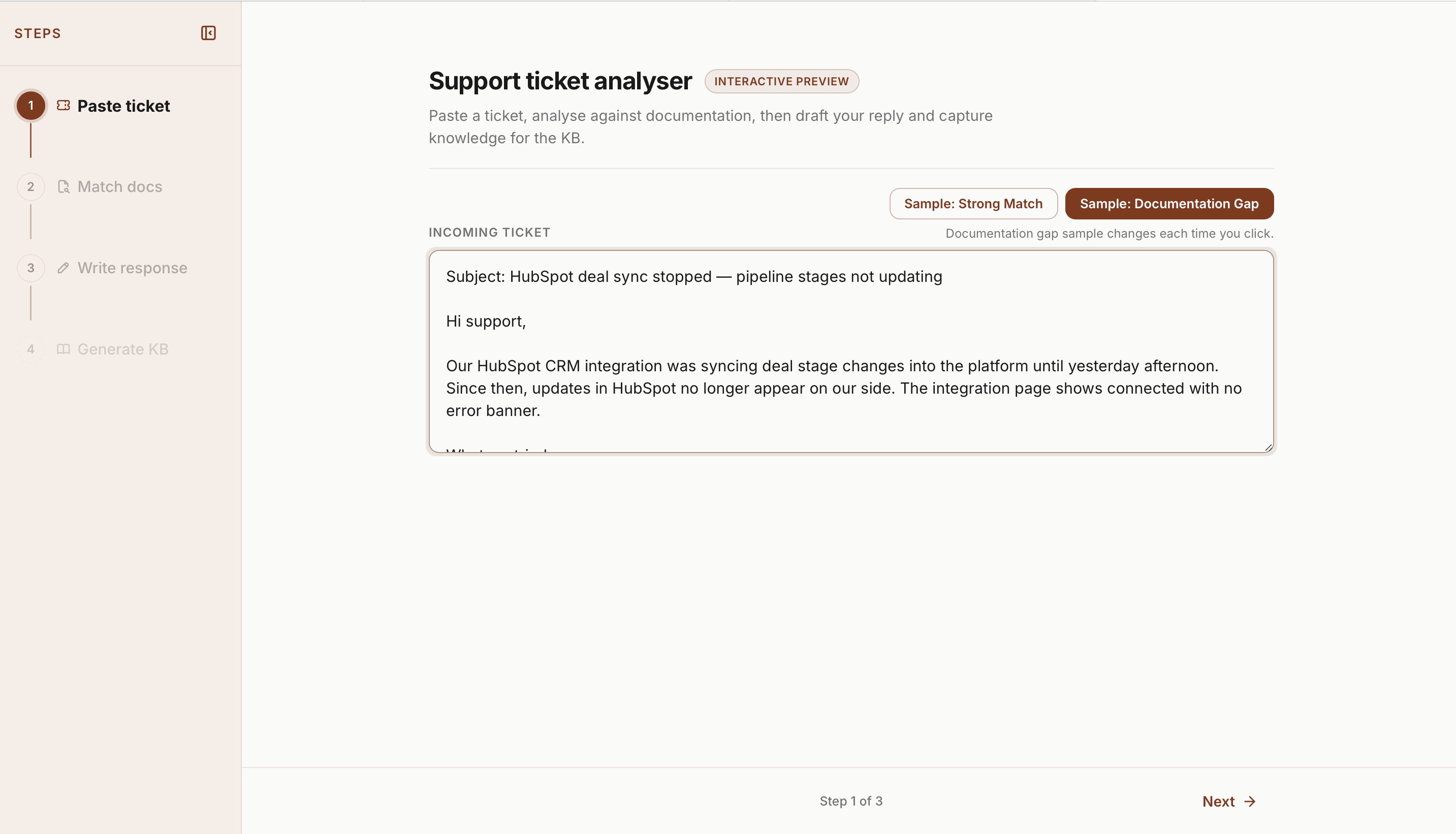
The four-step workflow
From reactive triage to a closed loop
The gap most support teams never close
Every week I see the same pattern: A customer hits an SSO or integration edge case, support writes a great one-off reply, and the knowledge never gets documented. Six weeks later, another enterprise opens the same ticket.
I built this workflow to model how senior quality operations should feel:
Ticket in → Evidence of existing docs → Explicit gap flagged → Response drafted → KB article reviewed → Published.
That is the same loop I run manually with Datadog, Jira, and our internal knowledge base. Here it is interactive and repeatable.
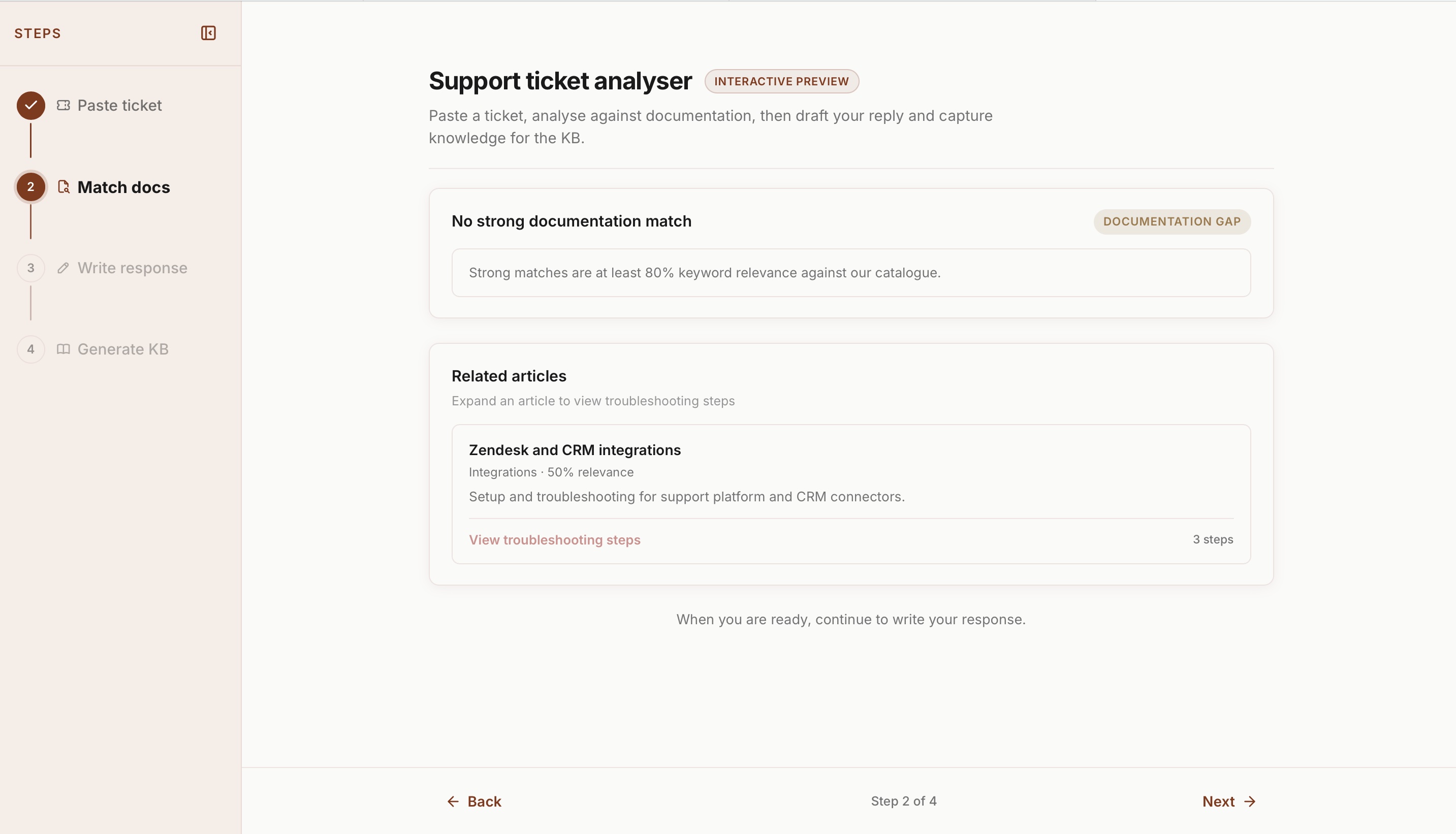
Step 2 uses a keyword relevance scorer so every match is explainable. You can see exactly which keywords fired, why a match was found, and what counts as a gap.
When you are telling an engineering team a documentation gap exists, you need to show your working. A black-box answer does not cut it.
Documentation match and gap detection
Strong match at 80%+, related articles at 30–79%
Paste a ticket (or load the sample SSO/SAML scenario) and the tool scans the ticket, scores every article in the knowledge base, and classifies the result:
Strong match (80%+): Finds the closest matching article, shows matched keywords, and pre-fills a suggested response from documented resolution steps.
Documentation gap (below 80%): Labels the gap explicitly and shows related articles in the 30–79% band so the support engineer still has troubleshooting context while product knows the knowledge base is missing something.
That gap state is a signal that documentation needs to be created, not just that a ticket needs closing.
This tool makes sure it does not get forgotten.
Getting the thresholds right mattered. Too low and everything looks like a match. Too high and you flag gaps that are not real gaps.
I landed on 80% and 30% after testing against realistic enterprise support scenarios.
Draft, review, and publish
Human in the loop before anything ships
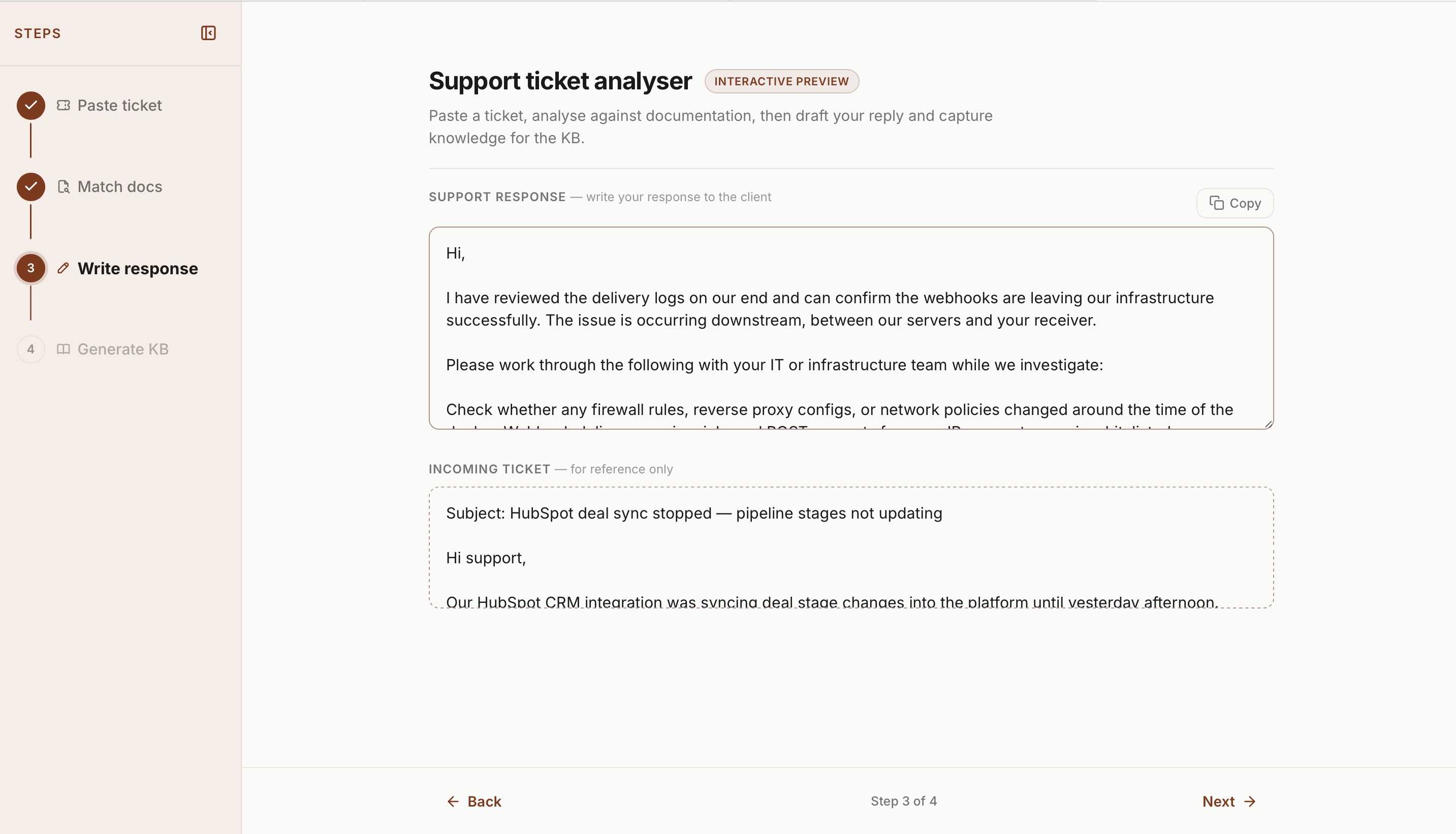
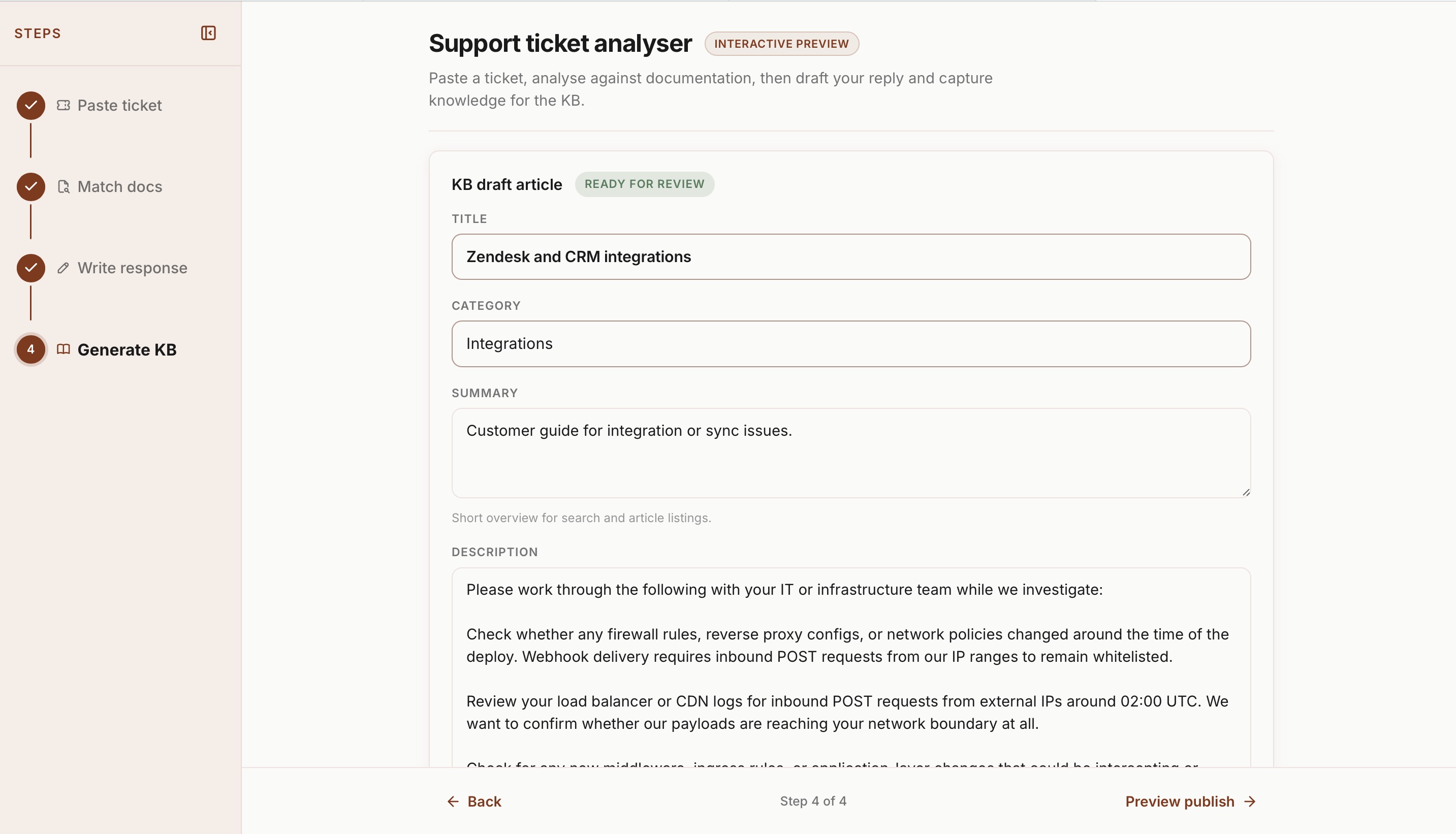
Step 3 lets you edit the suggested response with the original ticket visible for context, then move to step 4 where Claude generates a structured KB draft with title, category, summary, troubleshooting steps, and tags.
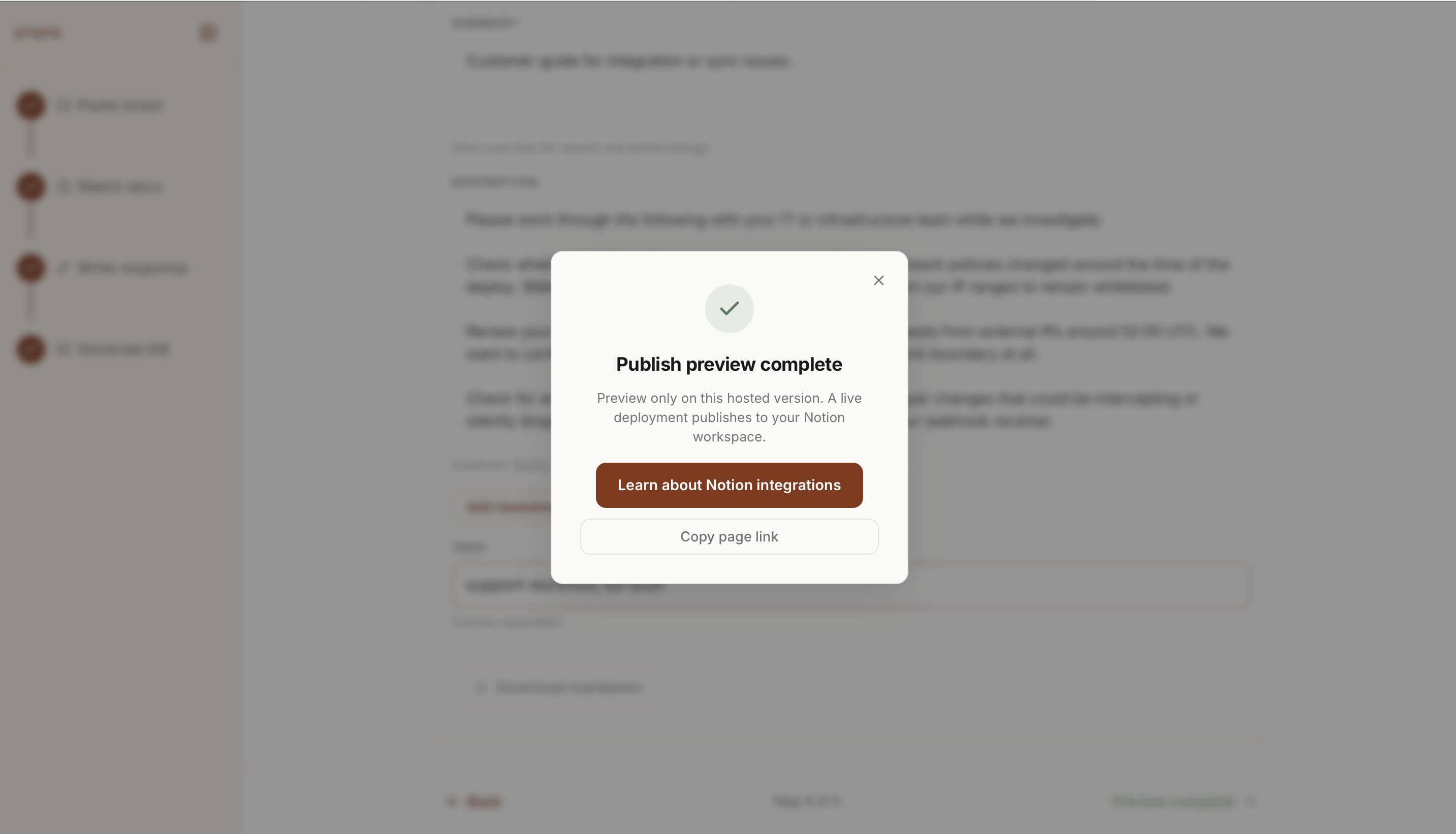
Approve it and it publishes directly to a live Notion database. Every article that goes through this workflow becomes part of the knowledge base the next support engineer can search.
In portfolio demo mode the full flow is still interactive. The publish step is simulated so visitors can experience it without needing API keys.
Public demos and production secrets do not mix. The tool automatically runs in safe demo mode when opened from GitHub Pages so visitors can explore the full workflow without any risk of exposing API keys or real customer data.
Built to be trusted
Secure by default, open source, and deployable by anyone
The front end is hosted on GitHub Pages. API keys never touch the browser. A Cloudflare Worker handles all requests to Anthropic and Notion, with keys stored as encrypted environment variables.
Open source on GitHub with a README covering demo and live mode, deployment steps, and privacy expectations.
Quality tooling only scales if other people can run and trust it.
Tools used
Vanilla JavaScript
Workflow logic, matching engine, and demo mode
Cursor
Built the entire project using Cursor as the primary development environment
Claude
KB article drafting and structured content generation
Cloudflare Workers
Secure proxy for all API requests
Notion API
Live knowledge base publish target
GitHub Pages
Demo and portfolio hosting
What I learned
Quality is a systems problem
The goal is not a faster reply. It is a repeatable loop that turns a resolved ticket into documented knowledge that benefits the whole team.
Gaps are signals, not failures
When match scores fall below threshold that is not a problem. It is information. It tells you exactly what needs documenting next.
AI amplifies judgment
Matching and gap detection stay deterministic and explainable. Claude handles drafting, humans review before anything publishes, because that review step is non-negotiable.
Try it yourself
Run the live demo on GitHub Pages.
Click Load sample ticket → walk through match and gap logic → preview the KB publish flow.